Values remain real
The symbols, prices, and changes still represent the market information in your watchlist.
STEALTH MODE
Stealth Mode reshapes stock and crypto quotes into lines that resemble code. Prices remain useful at your desk while the display becomes less obvious to someone looking from farther away.
Then unlock with a one-time purchase. No subscription or automatic charges.
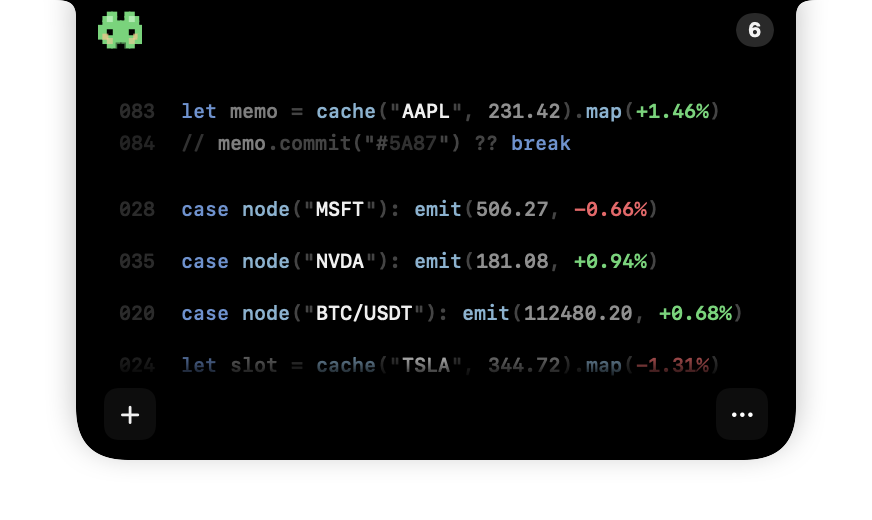
Product demonstration with sample quotes; not live market data.
01 / DISCREET BY DESIGN
A conventional watchlist is instantly recognizable: symbols, colored percentages, and rows of prices. Stealth Mode reduces that visual signal by placing the same useful values into a quieter, code-inspired composition.
It suits shared offices or desks where you prefer a less recognizable market display. Expand the island, open its settings menu and choose Display mode → Stealth mode. Switch back to Regular mode or Pixel mode when another style is easier to read.
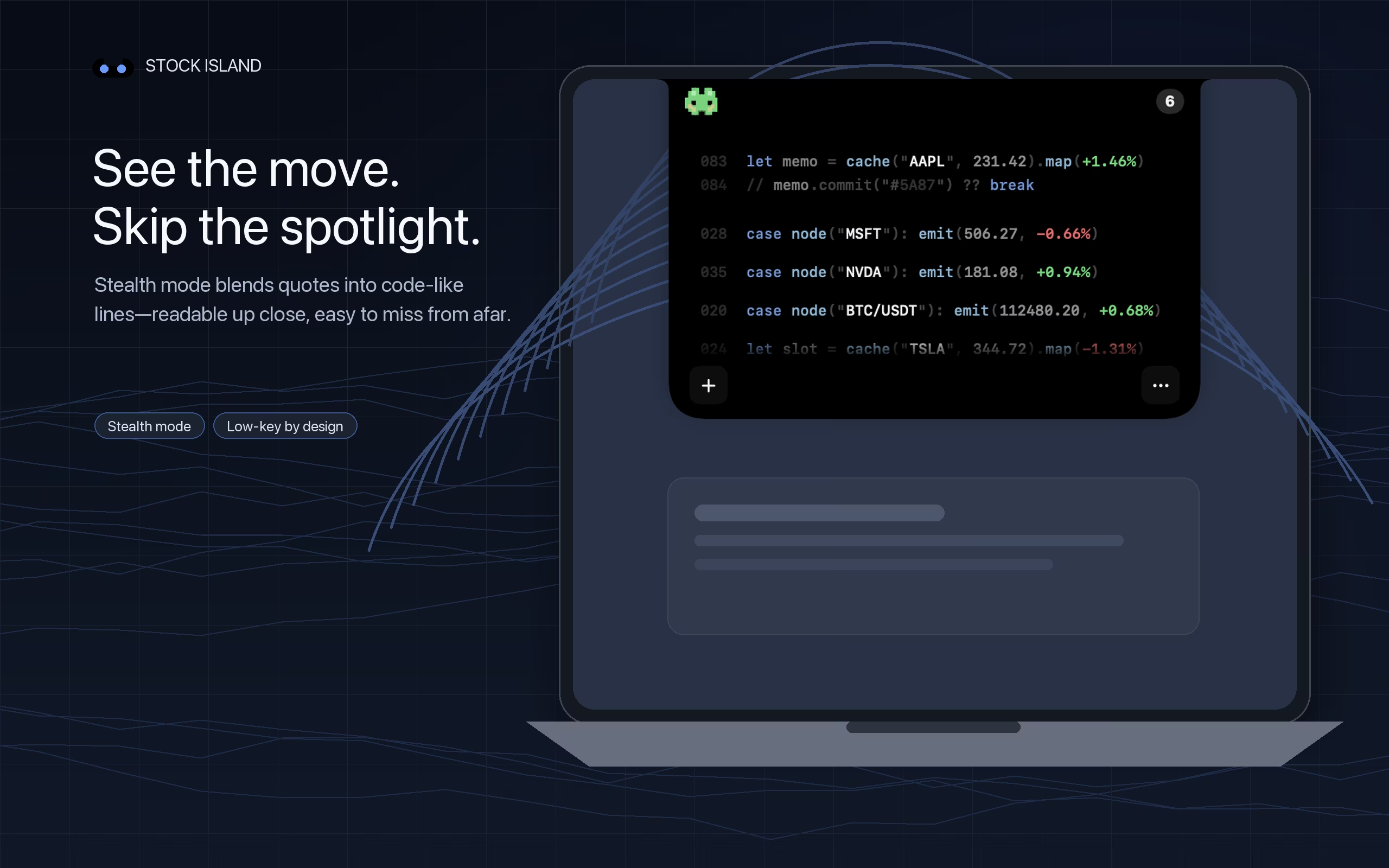
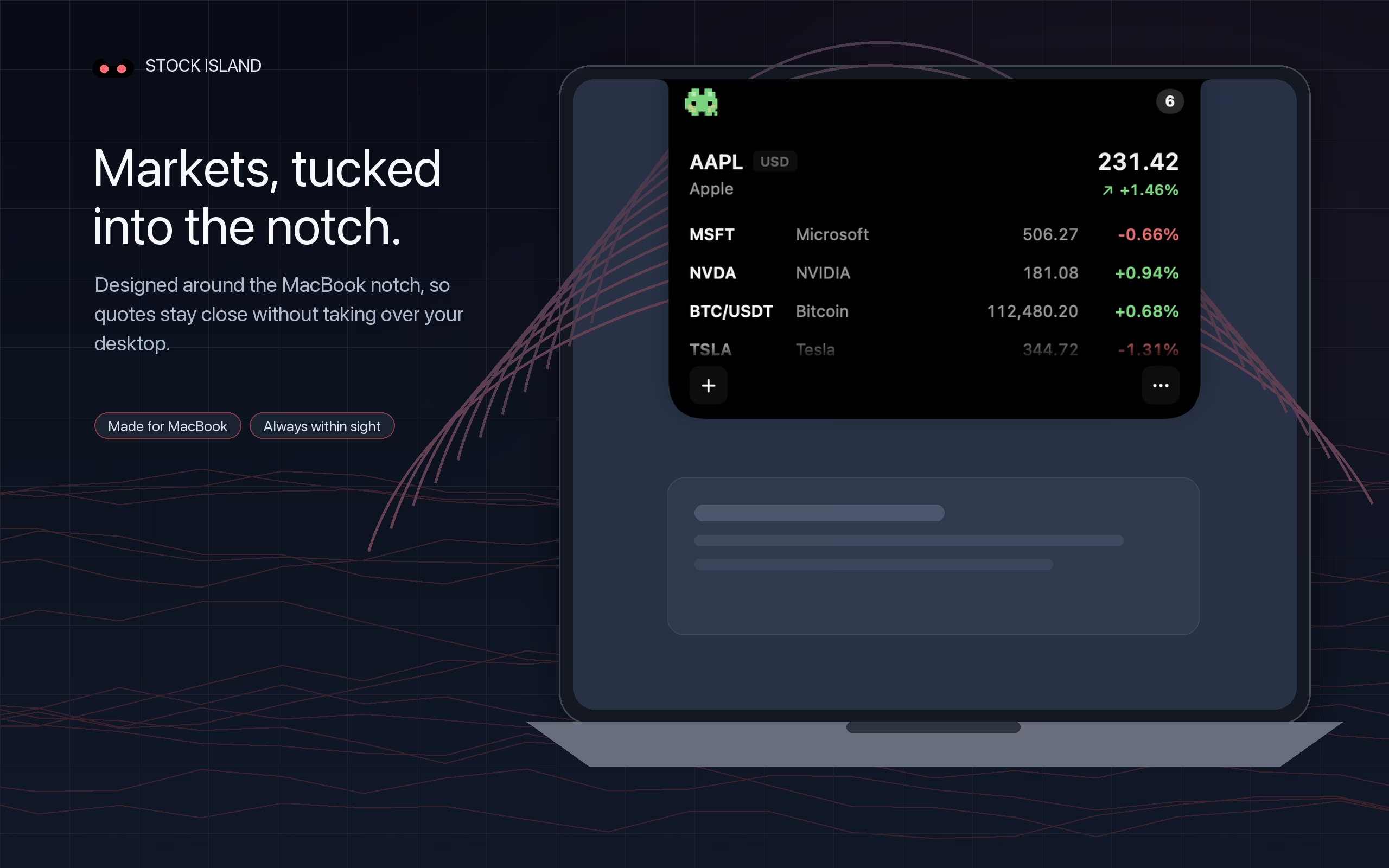
The symbols, prices, and changes still represent the market information in your watchlist.
The code-like layout is designed to draw less attention than a traditional red-and-green quote table.
Return to the normal quote view or Pixel Mode whenever another presentation works better.
02 / HONEST LIMITS
Stealth Mode is a visual treatment, not an access-control or privacy shield. Someone close to your screen may still read the values. It can still appear in screen shares and recordings. Before presenting, close the ticker or share only the intended app window, then check the sharing preview.
Prepare your workday setup for a meeting →QUESTIONS
Stealth Mode presents real symbols, prices, and changes as code-like lines. The information remains readable nearby while attracting less attention from farther away.
No. It changes the visual presentation, not the underlying values. Quote availability and timing still depend on the relevant market data provider.
Yes. Stock Island lets you switch between the normal quote view, Stealth Mode, and Pixel Mode.
It is a discreet visual style, not a security control. Anyone close enough to read the display may still see the information. It does not exclude the ticker from screen sharing or recording.
STOCK ISLAND FOR MAC
Try all features free for 7 days, then unlock with a one-time purchase.
One-time unlock after the trial. No subscription or automatic charges.
Apple silicon & Intel Macs · macOS 13 or later · No account required