Start with the task, not a universal winner
- Research a company: start with Apple Stocks for charts and news. A compact ticker can sit alongside your research workflow.
- Read quotes inside the menu bar: compare Stock Ticker and Uptick. Check the space available beside your other status items.
- Open a stock-and-crypto panel: consider Toucan’s published list, sparkline and alert features.
- Combine markets with other information: look at TickerNotch’s published strip and analysis options.
- Keep a focused quote near your work: consider Stock Island’s notch or floating display, expanding its watchlist on hover.
We do not recommend Stock Island for trade execution, portfolio returns or chart analysis. Those are different jobs, and it is reasonable to keep a separate research or trading tool.
Six options and their practical limits
The table summarizes the linked official sources. “Not confirmed” is an evidence gap, not a claim that a competing app lacks a feature.
| Tool | Display | Coverage | Cost and free limits |
|---|---|---|---|
| Apple Stocks & widgets | App window; desktop or Notification Center widgets | Quotes, watchlists, charts and business news | Included with macOS. Included app and widgets; layouts vary by macOS version. |
| Stock Ticker | Native menu-bar quote items | Stocks, indexes and currencies listed by the developer | Free download. The symbols must fit in available menu-bar space. |
| Uptick | Menu bar with rotating symbols | Stocks, ETFs, funds and indexes | Free tier; optional monthly or yearly Pro subscription. 3 user-added symbols free; up to 100 with Pro; alerts and positions require Pro. |
| Toucan Ticker | Menu-bar access to a stock-and-crypto quote panel | Stocks via Yahoo Finance; crypto via CoinGecko | Free download; in-app purchases listed. Not every free-versus-paid boundary is established in the listing; verify in the app. |
| TickerNotch | Notch-side strip; optional menu-bar pins; simulated notch on other displays | Market instruments, weather, news and other information slots | Limited free edition; Pro lifetime or monthly license. The developer lists one market ticker in Free; Pro adds the wider feature set. |
| Stock Island | MacBook notch area; top floating ticker on notchless displays | Supported stocks and spot crypto in one local watchlist | 7-day full-feature trial; one-time unlock. All features during the trial; purchase required for continued use afterward. |
Apple Stocks & widgets
Fits: Research and occasional price checks.
- Mac compatibility
- Built into macOS; widget layouts depend on the system version
- Watchlist & interaction
- Choose a symbol or watchlist widget; use the app for charts and news
- Account
- Apple Account for iCloud syncing; no separate third-party app account
- Quote timing
- No universal refresh interval established in this comparison
Check before choosing: Desktop widgets can be hidden by work windows; check the source quote when timing matters.
Read the official source →Stock Ticker
Fits: A small set of symbols directly in the menu bar.
- Mac compatibility
- macOS 13 or later
- Watchlist & interaction
- Selected symbols stay displayed; no scrolling list
- Account
- Not confirmed in the reviewed listing
- Quote timing
- The developer specifies 60-second updates, rather than real-time quotes
Check before choosing: The listing describes 60-second refreshes, no scrolling, and limited menu-bar space.
Read the official source →Uptick
Fits: Menu-bar tracking with optional alerts and position features.
- Mac compatibility
- macOS 10.14 or later
- Watchlist & interaction
- Search symbols, confirm exchange and currency, then rotate a watchlist in the menu bar
- Account
- Not confirmed in the reviewed listing
- Quote timing
- Pro requests minute updates; international data is end-of-day and some feeds update less often
Check before choosing: The listing distinguishes US intraday quotes from international end-of-day data. Pro features and feed timing vary.
Read the official source →Toucan Ticker
Fits: Stocks and crypto with watchlists, sparklines and alerts.
- Mac compatibility
- macOS 14.6 or later
- Watchlist & interaction
- Multiple lists, drag-and-drop ordering, and JSON import or export
- Account
- The developer states no account is required
- Quote timing
- The developer describes live quotes; latency and refresh interval were not independently tested
Check before choosing: The developer describes these features; this review does not independently verify latency or resource use.
Read the official source →TickerNotch
Fits: A notch-side information strip with chart and alert options.
- Mac compatibility
- macOS 14 or later
- Watchlist & interaction
- Click for details; pin selected slots; configure the strip and optional chart windows
- Account
- The developer describes an account-free app; paid-license activation depends on the edition
- Quote timing
- The developer labels feeds as live or delayed; check the instrument and source
Check before choosing: A lifetime option is available as well as a subscription. Stock Island does not replace its analysis features.
Read the official source →Stock Island
Fits: Glancing at quotes while working, with Regular, Pixel and Stealth views.
- Mac compatibility
- macOS 13 or later; Apple silicon and Intel
- Watchlist & interaction
- Add a stock or spot pair, then hover to expand the local watchlist
- Account
- No Stock Island account, brokerage or wallet login
- Quote timing
- Provider-dependent refresh; crypto streaming while expanded when available; quotes may be delayed
Check before choosing: Not a native menu-bar quote item, trading terminal or portfolio manager. Quotes may be delayed.
Read the official source →Choosing between the two notch-based options? Read the focused TickerNotch alternative and Stock Island comparison, including which needs Stock Island does not replace.
See the display you would actually use
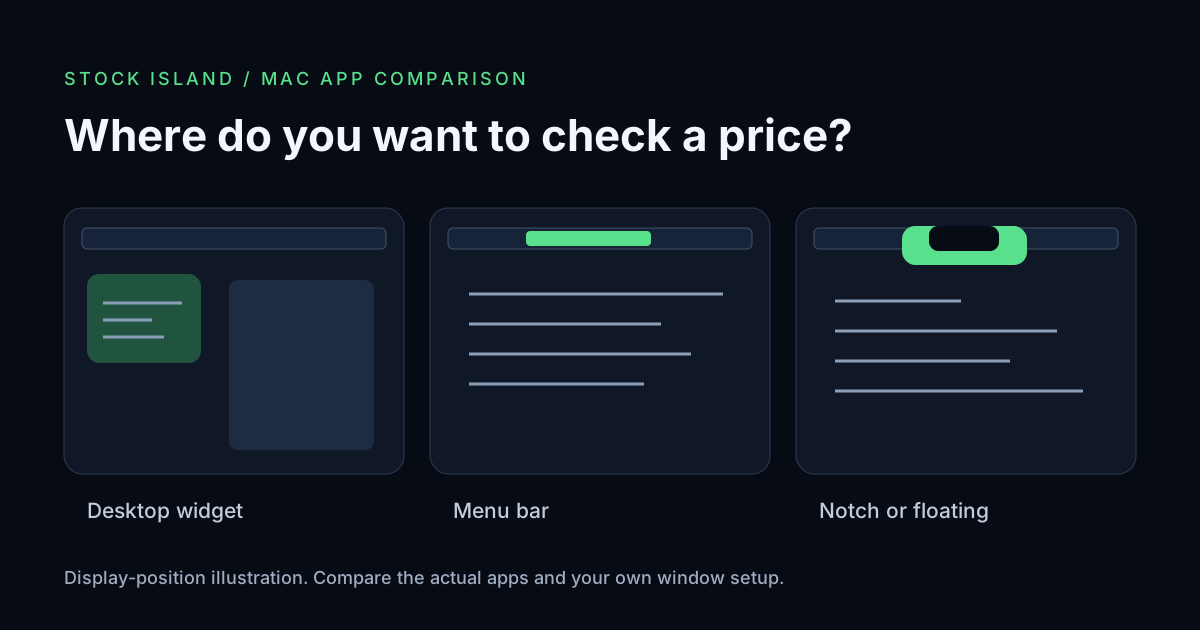
A native menu-bar quote sits among status items. A desktop widget belongs to the desktop and may be covered by work windows. Stock Island uses the notch area or a top floating position; it is not a native menu-bar quote item.
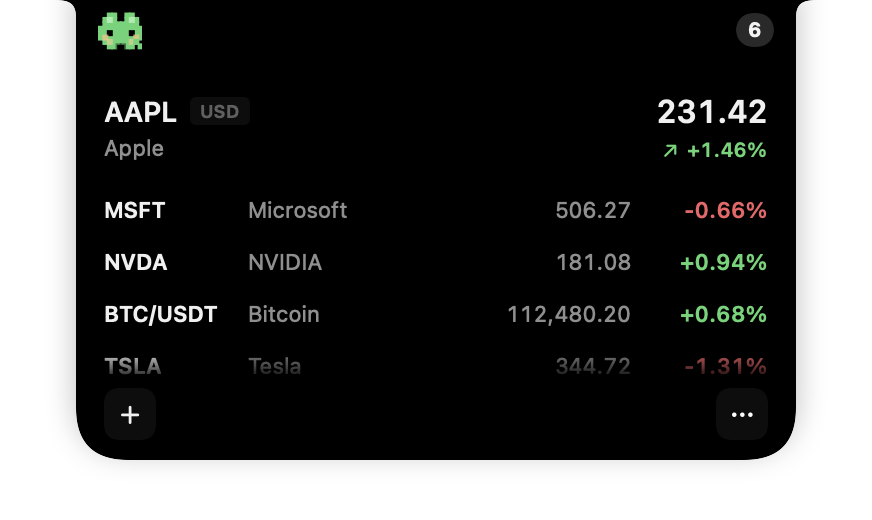
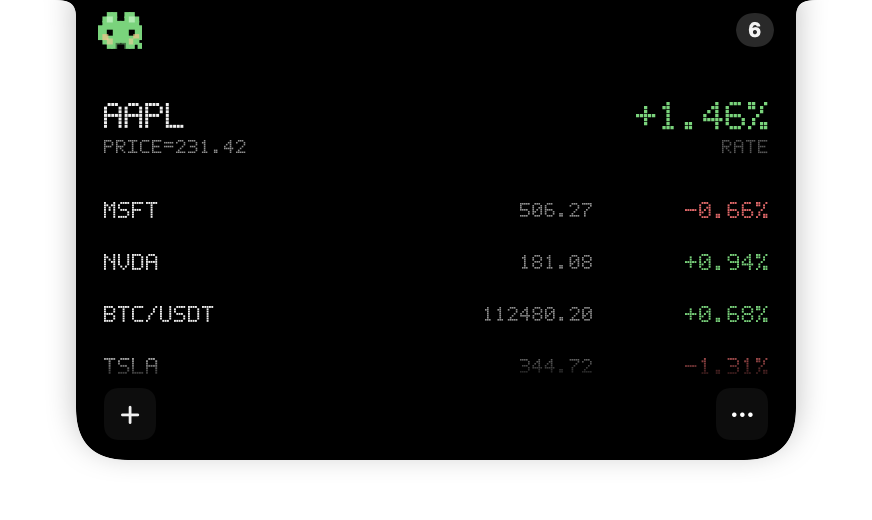
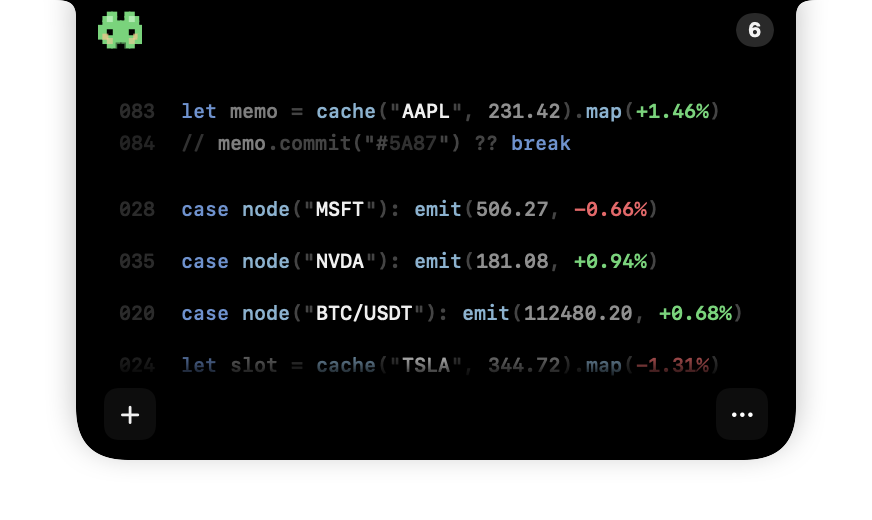
Stock Island production SwiftUI interface captures prepared for our App Store artwork, with fixed sample instruments and prices. Explore the current app during your trial.
Try a small, repeatable workday check
- Start with the same small set of symbols in each app, confirming the exchange and currency.
- Open your usual document, browser or editor. Decide whether you prefer the quote continuously visible, one hover away or inside a panel.
- Check long company names, text size and the space beside your other status items. Try your external display if you use one.
- Decide whether you need charts or alerts after looking at the quote. Choose the app that supports that next step.
These are suggested checks for your own Mac, not results we measured across all six apps. See our display guide for Stock Island’s full-screen and sharing limits.
Compare the feed and the full cost
A refresh interval does not establish exchange-real-time data. Check the instrument, source and market session. Uptick’s listing distinguishes US intraday quotes from international end-of-day data; Stock Ticker describes a 60-second refresh. Neither statement proves identical latency across markets.
Free download, a permanent free tier and a time-limited trial mean different things. Uptick lists three user-added symbols in Free and up to 100 with Pro, with additional paid features. TickerNotch offers both lifetime and monthly Pro licensing: a one-time purchase is not unique to Stock Island.
Stock Island offers all features for seven days, followed by a one-time unlock without a subscription or automatic charge. Verify the current local amount in the App Store. Its watchlist is local, requires no Stock Island account or wallet connection, and does not calculate portfolio returns.
What this comparison establishes
We reviewed the official descriptions linked beside each tool for display position, compatibility, licensing and feature boundaries. The recommendations above are our editorial judgment about those tasks. We have not established comparative battery use, reliability or end-to-end data latency, so we make no fastest, lightest or most accurate claim.
The Stock Island captures come from our own production interface rendering used for App Store artwork. They help explain the available views; sample quotes do not establish feed quality. If price timing matters, verify the original source independently.